How DWD OpenData Separates Recent and Historical Records
The two monthly files for Berlin-Tempelhof overlap for 11 months. In the DWD archives retrieved on 12 September 2026, February through December 2025 appear in both the recent and historical files. Joining them without checking the dates would count those months twice.
This example explains what DWD’s file groups mean, how their coverage changes, and what to preserve before combining them. The station-selection and export instructions are in the DWD station-data guide.
Recent and historical describe processing stages
For the monthly bundled climate product (monthly/kl), DWD updates the recent files monthly, before routine quality control is complete. It refreshes the historical archive annually after the routine checks for that product. These schedules come from the monthly product description; other DWD products can follow different schedules.
The folder is useful context, but it does not replace the quality fields inside the file. In the historical Berlin file, for example, the December 2025 row has QN_4 = 9 and QN_6 = 3. DWD defines code 9 as a stage where not all parameters have been corrected and code 3 as automatic checking and correction. Code 10 denotes completion of all checks and corrections. The fields refer to different parameter groups, so a single row does not necessarily have one uniform quality status.
Historical records can also receive later corrections or additions. For a reproducible result, keep a copy of the source package as well as its URL and retrieval date.
Read the filename, then inspect the rows
Monthly bundled climate observations use the directory path climate/monthly/kl/, followed by recent/ or historical/.
| Component | Berlin-Tempelhof example | Meaning |
|---|---|---|
| Prefix | monatswerte |
Monthly values |
| Product code | KL |
Bundled monthly climate product |
| Station ID | 00433 |
Berlin-Tempelhof provider identifier |
| Recent suffix | akt.zip |
Current rolling file |
| Historical suffix | [START]_[END]_hist.zip |
Archive with coverage bounds in its name |
The historical filename found in the directory was monatswerte_KL_00433_19180401_20251231_hist.zip. Its bounds run from 1 April 1918 to 31 December 2025. Inside, the observation table contains 1,205 monthly rows. Those bounds do not promise an uninterrupted series, or a value for every variable in every row.
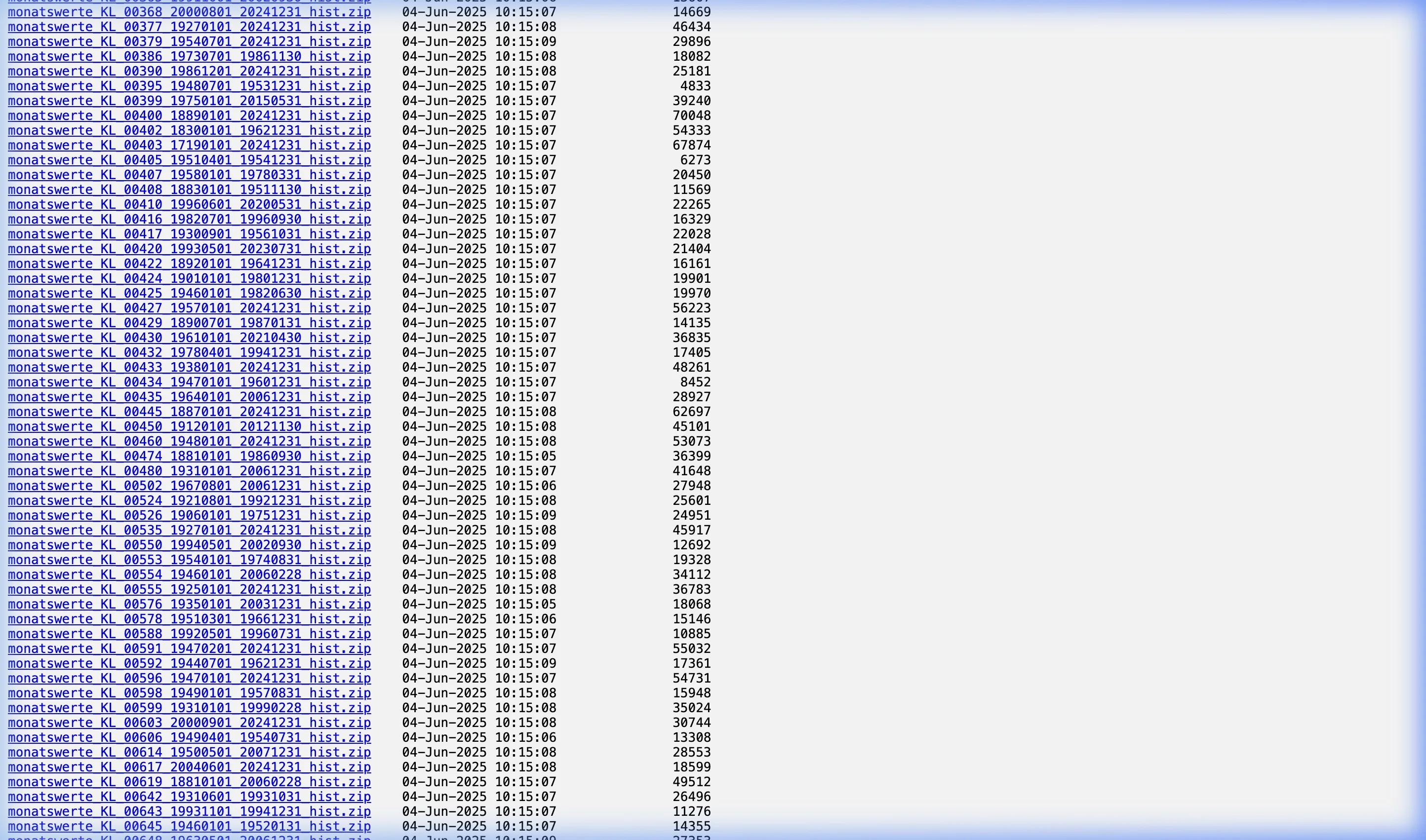
The directory screenshot was captured for the August 2026 version of this article; the linked file and its contents were checked again on 12 September. A reusable download script should discover the station’s current historical filename from the listing, since its end date can change.
The overlap is visible in the Berlin files
The recent ZIP contains 19 rows, from February 2025 through August 2026. Eleven of those months also occur in the historical file.
A useful join starts with a key made from the station ID and observation month. Keep the source group, filename and quality fields beside each row while comparing duplicates. For a series that uses the historical archive as its base, document a rule such as “retain historical rows through December 2025 and append recent rows from January 2026.” That makes the choice auditable; sorting the combined table and dropping whichever duplicate comes first does not.
Before calculating an average or total, also handle DWD’s -999 missing-value marker. It is not an observation of unusually cold or dry weather. Check completeness separately for the variable being analyzed: the presence of a station-month row does not mean all of its fields contain observations.
Keep the source package alongside a processed export
The German Weather Station Explorer offers an interface for inspecting selected records. Its processed exports serve a different purpose from the DWD ZIP, which carries the provider’s field names, quality information and accompanying metadata. Use the guide for the selection and export workflow, and retain the original archive when a result needs to be checked later.
The figures here describe one station and one product at one retrieval date. They establish the overlap in these files; they do not establish the completeness of every Berlin variable or the coverage of other DWD products.
Data Annex
Files inspected on 12 September 2026
| File group | Observation-table bounds | Rows | Relationship |
|---|---|---|---|
| Historical | April 1918–December 2025 | 1,205 | Base archive; not necessarily continuous for every variable |
| Recent | February 2025–August 2026 | 19 | Eleven months overlap the historical table |
| Shared months | February–December 2025 | 11 | Duplicate station-month keys across the two files |
Reproduction details
| Item | Value or method |
|---|---|
| Provider and station | DWD Climate Data Center; Berlin-Tempelhof, 00433 |
| Product | Monthly bundled climate observations, monthly/kl |
| Historical observation table | produkt_klima_monat_19180401_20251231_00433.txt |
| Recent observation table | produkt_klima_monat_20250201_20260831_00433.txt |
| Counting method | Read the semicolon-delimited observation tables, verify station ID, and count unique month-start keys. Compare the two sets for overlap. |
| Missing-value handling | Row counts include rows with missing parameters; no weather statistic was calculated. |
| Revision limitation | The recent URL is mutable, and historical data can be revised. Counts refer to the files retrieved on 12 September 2026. |
Data Sources
- DWD monthly climate-data description: product scope, filenames, update schedule, missing values and quality-code definitions.
- DWD monthly recent directory and historical directory: source listings for the two Berlin files linked above.
- DWD OpenData terms of use: licence and attribution terms.