A Guide to Europe’s Open Weather Data Portals
You can reach an official weather-data website and still be several steps away from a usable file. Some services expose folders of station records. Others expect an API request, or a dataset name and version before they will provide a download link.
Start with the question you need to answer. A recent reading for one station, a decade of daily observations and a national radar archive call for different access routes. The examples below show how to recognise those routes, followed by a directory of official starting points.
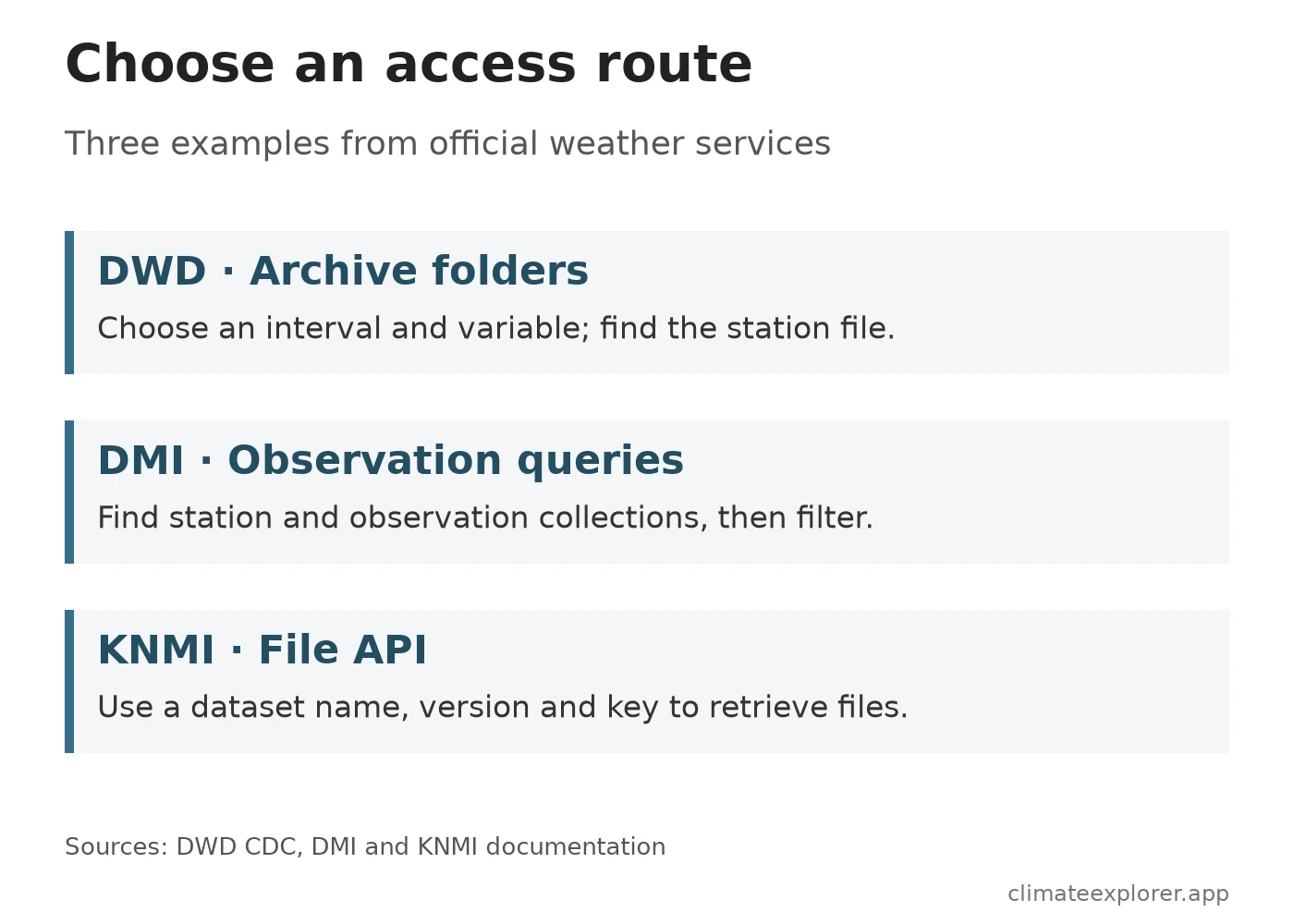
Three access routes, with real examples
DWD: browse files by measurement interval
Germany’s DWD Climate Data Center archive exposes folders including 10_minutes, hourly, daily and monthly. You can browse them without signing in. The folder structure is part of the task: choose the measurement interval, then the variable and the appropriate archive branch.
For a long rainfall series, check the station’s record dates before downloading. An archive labelled “historical” does not mean every station covers the same years. Keep the station metadata and the variable documentation with the file. The DWD download guide explains station selection and export; our ten-minute rainfall example shows why the timestamp definition matters.
DMI: separate the station list from the readings
Denmark’s DMI observation-service collections return a machine-readable description of two collections: station and observation. The first helps identify observing sites; the second contains measurements.
You can open that collections link in a browser. Look for each collection’s id and its link with rel: items. This is a small but useful discovery step: it tells you where the records are served before you try to request a particular station or period. Use the DMI documentation for supported filters, parameters and request limits rather than guessing the query syntax.
KNMI: an API can deliver files, too
The Netherlands’ KNMI Open Data API is file based. A request uses a dataset name and version to list files, then obtains a download URL for a chosen file. That is different from asking an observation API for individual temperature readings.
KNMI documents an API-key requirement, including a shared anonymous key available without registration. Registered keys are another option. Read the current access instructions and limits before starting a large download. A key requirement alone does not mean that the data cost money.
Check one station before downloading a country
A small sample often reveals a mismatch earlier than a large download. For a daily rainfall comparison, for example, establish these details before joining files:
- Identity: the station identifier, coordinates and elevation. Similar place names can refer to different observing sites.
- Time: the reporting time zone, interval boundaries and record coverage. A daily value may describe a different 24-hour period from the one you intend to analyse.
- Measurement: the unit, accumulation period, missing-value codes and quality flags.
- Reuse: the dataset licence and the attribution you need to carry into a chart or export.
Keep the dataset version where one exists, the download date and the provider’s documentation. A portal’s name is not enough to reproduce a result if its files are later revised.
Official starting points by country
The directory below links to data services, documentation or the responsible weather service. A service homepage may require further navigation to find a particular dataset. The links are not evidence that all stations, variables or historical periods are available, and the directory does not assign access or compliance scores.
| Country | Official starting point |
|---|---|
| Austria | GeoSphere Austria Data Hub |
| Belgium | RMI/KMI Open Data |
| Bulgaria | NIMH data information |
| Croatia | DHMZ XML products |
| Cyprus | Department of Meteorology dataset record |
| Czechia | CHMI meteorology archive |
| Denmark | DMI documentation |
| Estonia | Environment Agency weather information |
| Finland | FMI Open Data |
| France | Météo-France public data |
| Germany | DWD Open Data |
| Greece | HNMS Free Data information |
| Hungary | HungaroMet data repository |
| Ireland | Met Éireann Open Data |
| Italy | National data catalogue: meteorological dataset |
| Latvia | LEGMC catalogue entries |
| Lithuania | Meteo.lt API |
| Luxembourg | MeteoLux high-value dataset information |
| Malta | Malta Meteorological Office |
| Netherlands | KNMI Open Data |
| Poland | IMGW-PIB public data |
| Portugal | IPMA API |
| Romania | ANM weather service |
| Slovakia | SHMÚ observation downloads |
| Slovenia | ARSO WebMet |
| Spain | AEMET OpenData |
| Sweden | SMHI observation service |
| Switzerland | MeteoSwiss Open Data |
For additional European sources, Norway’s Frost documentation describes its observation service. Country coverage in a directory should not be confused with the scope of EU legislation; the policy explainer covers that distinction.
Data Annex
The three worked examples use provider documentation and public discovery pages. No station values were analysed and no country-wide completeness assessment was performed.
| Example | Information needed for the next step |
|---|---|
| DWD archive | Measurement interval, variable, station identifier and record dates |
| DMI observation service | Collection, station identifier and documented time/parameter filters |
| KNMI file API | Dataset name, version, API key and file selection |
Access Route Architectures and Mechanisms
| National provider | Delivery model | Authentication mechanism | Primary query pattern |
|---|---|---|---|
| DWD (Germany) | Open HTTP directory archive | None (anonymous access) | Browse by interval (10_minutes, hourly, daily) and parameter |
| DMI (Denmark) | OGC API REST service | None (open query endpoint) | Query separate station and observation collections with filters |
| KNMI (Netherlands) | File catalog REST API | API key (anonymous or registered) | Query files by dataset name and version, then fetch via download URL |
Data Sources
- DWD CDC observation archive: directory structure and measurement intervals.
- DMI observation collections and documentation: station and observation discovery.
- KNMI Open Data API documentation: dataset versions, file retrieval and authentication options.
- The country directory links directly to the relevant services. Use the dataset-specific documentation and licence reached from those pages for an actual download.